ebusinessreviews may earn a commission when you buy through links on this page, at no extra cost to you. This does not affect our ratings.
Rephrasing software gives writers an automated way to reshape sentences, shift tone, and sharpen clarity without losing the original meaning. Tools in this category serve students, researchers, copywriters, and professionals who need fresh wording for drafts they already have. Our evaluation at EBusiness Reviews focuses on everyday usability and workflow fit rather than promotional claims.
Choosing automated rewriting technology means understanding how word swaps and structural changes affect readability across different channels. Solutions built around automated rephrasing apply core language-processing methods, letting writers compare alternative expressions without digging through dictionaries. Testing these environments reveals whether a sentence-level tool suits your production needs and editorial standards.
Quick verdict: With an overall ebusinessreviews score of 7.9/10, the quillbot sentence rewriter suits solo content creators, non-native English communicators, and students who want quick sentence-level edits. It is less suited to enterprise teams that need deep narrative overhauls or fully automated long-form document generation.
| Evaluation Metric | Summary Details |
|---|---|
| ebusinessreviews score | 7.9/10 |
| Best for | Writers refining sentence-level clarity, non-native English professionals adjusting phrasing, and students seeking alternative expressions for academic drafts |
| Not ideal for | Organizations wanting complete automated manuscript creation or editorial teams needing nuanced stylistic storytelling without human intervention |
| Key strengths | Automated vocabulary replacement, sentence structure rearrangement, and multiple rewriting styles tailored to diverse communication contexts |
| What to check before buying | Confirm word limits on input fields, availability of specialized modes on official tiers, and team collaboration access rules |
1. How ebusinessreviews Reviewed QuillBot
This review examines what QuillBot is built to do, who it serves, and how it stacks up against similar tools. We applied our seven ebusinessreviews criteria: features, ease of use, pricing and value, integrations, audience fit, support, and competitive position. Plans, prices, and limits change frequently, so we flag what to verify on the official website before purchasing. This article was researched and drafted with AI assistance, then reviewed and edited by the ebusinessreviews Editorial Team.
2. What Is the QuillBot Sentence Rewriter and Who Is It For?
The quillbot sentence rewriter is a specialized editing platform that rephrases sentences, paragraphs, and full articles through automated language processing. Developed by QuillBot, it restructures existing text by reordering clauses, swapping terms for context-appropriate synonyms, and tightening repetitive prose. Unlike general generators that produce content from a short prompt, rephrasing utilities need source material supplied by the user.
Paraphrasing technology mainly targets people who write regularly and want smoother sentence flow. Academic writers use sentence rephrasers to avoid repetition in literature reviews and research papers. Freelance writers, marketing assistants, and corporate communicators use these platforms to explore alternative angles for headlines, social updates, and email campaigns while keeping factual details intact.
Non-native English speakers form another key audience. Complex grammar, idioms, and formal business registers can slow down drafting. Automated restructuring tools offer immediate suggestions that help these communicators express ideas in natural English and reduce grammatical errors.
3. Core Features of Sentence Rewriting Software
Rewriting platforms rely on several foundational feature categories. Understanding them helps buyers judge whether an automated assistant delivers real value across daily publishing work.
3.1. Sentence Restructuring and Paraphrasing Modes
Automated paraphrasing tools process input text and return revised alternatives based on chosen stylistic priorities. Core systems evaluate grammatical dependencies within a clause and reorder components to improve rhythm or readability. Writers can pick modes that emphasize brevity, formal diction, creative expression, or conversational delivery depending on the target audience.
Modern platforms apply statistical language rules to keep reordered clauses grammatically sound. When evaluating any sentence rewriter, check how well it handles passive-to-active voice conversions. A strong mechanism offers several structural variations for a single sentence, letting users choose the phrasing that fits surrounding paragraphs.
3.2. Integrated Synonym Adjustment and Vocabulary Control
Vocabulary modules highlight individual words in the rewritten output and present interactive synonym options. Writers can select a term to see a dropdown of alternatives ranked by contextual relevance. This lets editors keep industry jargon while changing non-essential adjectives, verbs, and connecting phrases.
Most tools let users control how aggressively words are replaced. Higher synonym density produces sentences that diverge sharply from the original, while conservative settings keep the revision close to the initial structure. Editorial teams should confirm on official documentation how replacement handles specialized technical or legal terminology.
3.3. Grammar Checking and Text Cleanup
Sentence restructuring platforms often include grammar inspection that flags spelling errors, punctuation problems, and syntax flaws. When text is pasted into the editor, the grammar module checks baseline syntax before or alongside the paraphrasing step. This two-layer approach prevents users from restructuring fundamentally broken sentences into flawed versions.
Grammar features catch common mechanical slips such as subject-verb agreement errors, misplaced commas, and incorrect apostrophe use. Fixing these issues in the same interface where restructuring happens reduces the need to move drafts between separate proofreading applications.
3.4. Summarization and Text Condensation
Condensation tools help writers extract key takeaways from lengthy sources or compress wordy paragraphs into concise summaries. The summarization function scans documents, identifies high-priority statements, and synthesizes the core message into bullet points or a single paragraph. This workflow helps researchers digest long articles and professionals draft executive briefing notes.
Condensation features vary across software tiers in acceptable input length and processing depth. Users who manage extensive documents should review official subscription specifications to learn the maximum input capacity per run.
4. Ease of Use and Learning Curve
Paraphrasing software usually presents an intuitive two-panel interface that needs little training for basic tasks. Users paste raw text into an input box, run the processing command, and review the revised text in the adjacent panel. Because the workflow mirrors standard copy-and-paste actions, beginners can start evaluating alternative phrasing within minutes.
Getting consistently good output takes a short adjustment period as writers learn how stylistic settings change phrasing. New users become comfortable clicking suggested terms to explore synonyms and checking that technical concepts remain accurate. Learning how much text to submit at once is also a practical skill, since single sentences often yield more precise rephrasings than dense multi-page blocks.
For ongoing production, providers often offer browser extensions and text editor add-ins that bring sentence rewriting into word processors and email clients. Embedding writing tools in daily editing environments avoids repeated window switching, though users should confirm which environments support these extensions on the official vendor platform.
5. Pros and Cons of Automated Sentence Rewriters
Weighing the strengths and limitations of automated paraphrasing tools helps buyers decide whether a software investment matches their standards.
5.1. Advantages of Sentence Rewriting Software
- Speeds up first-draft revisions by suggesting alternative phrasing instantly
- Helps non-native speakers spot natural phrasing and idiomatic English structures
- Expands vocabulary quickly through contextual synonym recommendations
- Reduces monotony across recurring reports, emails, and marketing copy
- Combines sentence restructuring, grammar checking, and condensation in one environment
5.2. Limitations and How to Mitigate Them
- Automated rephrasers sometimes misread domain-specific jargon or nuanced academic arguments; writers must review every suggestion before publishing
- Heavy synonym substitution can produce awkward or overly complicated phrasing; keep vocabulary intensity moderate to protect readability
- Paraphrasing utilities do not create factual arguments or narrative structures from scratch; teams need solid baseline drafts before restructuring
- Input limits on some tiers force users to split large manuscripts into smaller segments; confirm processing capacities on official plan pages
6. QuillBot vs Similar Tools: Understanding Market Positioning
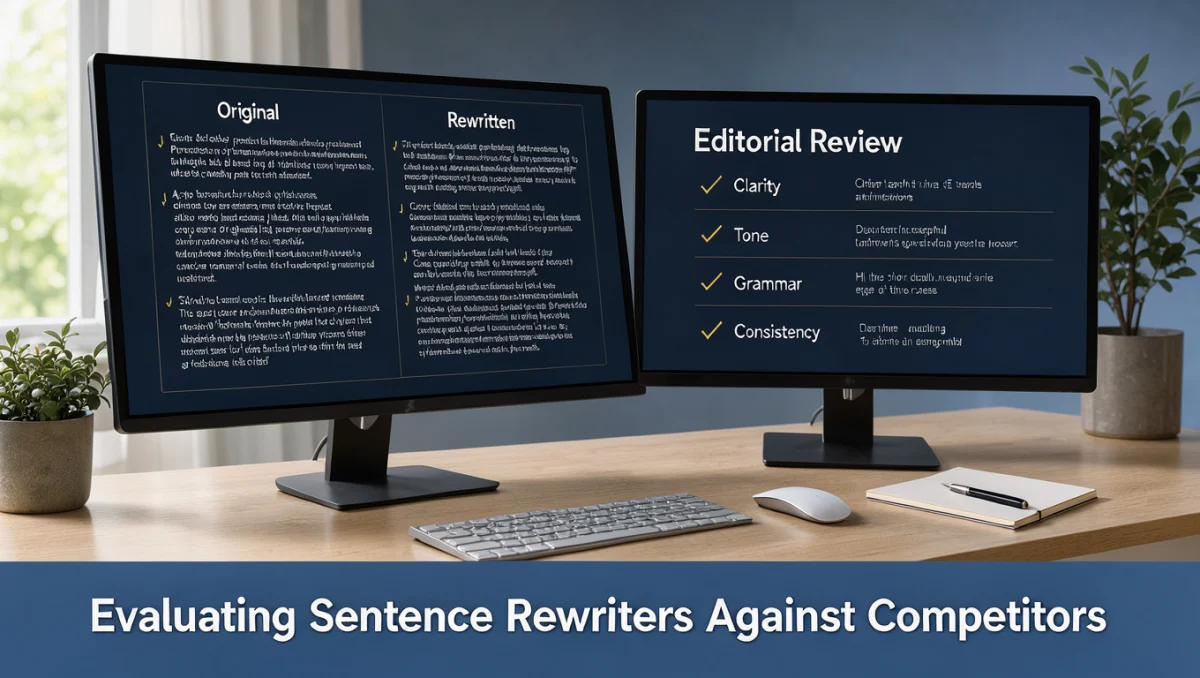
The writing assistance landscape includes platforms built for editing, generation, and proofreading. Comparing their general positioning shows where the quillbot sentence rewriter fits among established alternatives.
| Software Category | Primary Purpose | Target User Profile | Key Differentiator |
|---|---|---|---|
| QuillBot | Sentence-level paraphrasing and vocabulary enhancement | Students, freelancers, and ESL communicators | Granular word-level synonym controls alongside preset paraphrasing styles |
| Grammarly | Comprehensive proofreading, style correction, and tone adjustment | Corporate teams, executives, and enterprise writers | Broad focus on workplace communications and grammatical compliance |
| Wordtune | Contextual sentence rewriting and tone repositioning | Professionals seeking quick email and document adjustments | Multi-sentence revision suggestions focused on conversational and professional brevity |
| Jasper | Generative marketing copy creation and campaign development | Marketing agencies and enterprise growth teams | End-to-end original copy generation from thematic outlines and prompts |
Platforms like Grammarly emphasize mechanical correctness, corporate style consistency, and tone governance across organizational communication. While proofreaders flag errors and suggest concise alternatives, sentence rewriters like QuillBot specialize in offering several full-sentence structural variations for a single passage. Writers pursuing corporate compliance often prefer proofreading suites, while people struggling with repetitive phrasing benefit from focused paraphrasing tools.
Wordtune also centers on sentence rewriting, stressing contextual clarity and tone reshaping for short workplace messages. Writers comparing sentence rewriters should decide whether they need granular control over individual synonyms or prefer full-sentence overhauls suited to professional correspondence. Looking across the broader Artificial Intelligence ecosystem shows that specialized rephrasers complement, rather than replace, full-scale generative platforms like Jasper, which build entire marketing frameworks from scratch.
7. Who Should Use the QuillBot Sentence Rewriter?
Identifying user personas clarifies whether time and budget spent on sentence restructuring will pay off.
7.1. Freelance Writers and Content Creators
Freelancers often handle heavy article volumes across varied niches, which can lead to fatigue and repetitive vocabulary. A sentence rewriter helps them find fresh structures, rephrase client briefs, and polish introductory hooks without losing momentum. Creators should verify on official vendor pages whether subscription terms cover commercial content work.
7.2. Students and Academic Researchers
Academic contributors must synthesize dense sources while explaining complex theories clearly. Rewriting tools offer alternative sentence structures that help students express theoretical concepts in their own voice without quoting whole paragraphs. Students must take care that automated paraphrasing complies with institutional academic integrity codes and citation standards.
7.3. Non-Native English Communicators and ESL Professionals
Professionals in multilingual settings often have deep subject knowledge but struggle to find precise English phrasing for reports, proposals, and correspondence. A sentence rewriter lets them refine draft sentences quickly so business communication sounds fluent and authoritative. The interactive synonym feature also teaches contextual vocabulary usage over time.
7.4. Small Business Owners and Marketing Assistants
Small business operators juggle customer correspondence, website copy, and social media posts. Paraphrasing utilities help lean teams repurpose one announcement into newsletters, social platforms, and customer notices. Teams sharing editing duties should check seat management guidelines on the vendor site.
7.5. Who Should Consider Alternative Writing Solutions
Editorial teams needing automated narrative composition, scriptwriting, or multi-chapter book drafting will find sentence rewriters insufficient on their own. Organizations with strict regulations that bar third-party text submission should consult enterprise platforms with custom security agreements. Literary fiction writers may also find that automated restructuring flattens their distinctive voice.
8. How to Choose the Right Subscription Plan
Writing assistant vendors typically tier access by processing volume, available editing modes, and advanced checking features. Reviewing the official subscription comparison page ensures you choose a tier that matches your workload.
| What to Check on the Official Page | Why It Matters | Target Buyer Group |
|---|---|---|
| Maximum word count per paraphrasing query | Input limits determine whether you can process full essays at once or must split texts into smaller batches | Long-form authors and thesis writers |
| Access to specialized rewriting modes | Certain advanced stylistic settings may sit behind higher-tier subscriptions | Professional copywriters seeking varied tonal options |
| Grammar and plagiarism scanner limits | Ancillary scanning features often carry monthly query or page allowances | Academic researchers and agency editors |
| Multi-device and extension permissions | Availability across desktop environments and mobile extensions affects daily productivity | Remote professionals working across multiple devices |
| Team administration and seat sharing | Centralized billing and shared seats simplify deployment for small agencies | Small business owners and collaborative editorial teams |
9. Practical Best Practices for Sentence Rewriting Workflows
Using automated rewriting software well requires disciplined drafting habits. Following structured practices keeps output clear, accurate, and aligned with the author's intent.
- Draft your ideas first: Write a baseline draft with your core arguments, data points, and narrative flow before opening a paraphrasing assistant. Automated rephrasers polish language but cannot build your logic for you.
- Rewrite in manageable sections: Submit text in short paragraphs or single sentences rather than pasting multi-page documents at once. Focused passages produce sharper, more coherent alternatives.
- Review every synonym substitution: Vocabulary tools suggest contextually relevant terms, but subtle connotations can shift your meaning. Always confirm that replaced words reflect your exact topic.
- Preserve factual data manually: Watch numbers, proper names, and dates closely during structural changes. Verify that rephrasing has not altered quantitative claims or historical timelines.
- Read the revised draft aloud: After assembling rewritten sentences into your document, read the full passage aloud to check rhythm, cadence, and transitions between paragraphs.
10. Frequently Asked Questions
10.1. What should I look for when evaluating an automated sentence rewriter?
Examine the accuracy of vocabulary substitutions, the variety of paraphrasing modes, and the responsiveness of the editing interface. Confirm whether browser extensions are supported and check input word limits on official vendor pages so the tool fits your daily volume.
10.2. How do I know if my workflow needs a sentence rewriter rather than a proofreading tool?
Proofreaders focus mainly on fixing mechanical errors such as spelling, punctuation, and syntax within existing sentences. If your main challenge is breaking repetitive patterns, restructuring awkward clauses, or finding alternative phrasing, a dedicated sentence rewriter offers more direct support.
10.3. What steps keep rewritten content sounding natural rather than robotic?
Keep synonym intensity at a moderate level and avoid swapping familiar words for obscure alternatives. Read generated variations aloud and adjust phrasing by hand so the final text keeps your authentic voice.
10.4. What should content teams consider before deploying writing software across multiple users?
Check official account management guidelines to see whether the platform offers multi-user administration, pooled query limits, or centralized billing. Setting internal editorial guidelines on acceptable software use also keeps brand voice and factual accuracy consistent across the team.
11. Final Verdict on the QuillBot Sentence Rewriter
The quillbot sentence rewriter remains a focused, practical choice for users who want quick sentence restructuring, vocabulary exploration, and grammatical cleanup. By concentrating on clause realignment and synonym selection, it addresses the specific problem of repetitive, awkward phrasing across short and medium-length documents.
| Criterion | Score /10 | Reason |
|---|---|---|
| Features | 8.0 | Provides solid sentence restructuring, interactive synonym selection, grammar checking, and text summarization within a unified interface |
| Ease of Use | 9.0 | Dual-panel layout lets writers paste text, run restructuring, and review alternatives with virtually no onboarding friction |
| Pricing and Value | 7.5 | Buyers should review input word limits and feature tiers on the official site to match cost against their actual drafting volume |
| Integrations | 7.0 | Confirm browser and text editor extension availability on official documentation to ensure compatibility with existing software |
| Audience Fit | 8.5 | Delivers practical value for students, ESL professionals, and freelance writers who need quick phrasing adjustments for recurring drafts |
| Support | 7.0 | Verify support channels and documentation on the official website before committing long term |
| Competitive Position | 8.0 | Holds a clear niche in granular sentence paraphrasing alongside broader proofreading and generative writing platforms |
| Overall score | 7.9 | Balanced editing assistant offering reliable sentence restructuring for individual writers and content creators |
For independent freelancers, students, and ESL communicators, the software offers a dependable way to refine draft mechanics and cut verbal redundancy. Corporate teams and narrative authors should weigh whether specialized sentence rephrasing covers their broader content needs. Readers with questions about software selection or editorial workflows can reach out via EBusiness Reviews, or follow ebusinessreviews updates on LinkedIn at https://www.linkedin.com/company/ebusinessreviews/.