ebusinessreviews may earn a commission when you buy through links on this page, at no extra cost to you. This does not affect our ratings.
Choosing marketing automation software means looking beyond feature lists. The activecampaign pros and cons show how the platform handles customer journeys, follow-up sequences, and contact records, and what it demands from your team in return. Below, we test those capabilities against everyday operational needs so you can invest with intention.
ActiveCampaign brings together email sequences, pipeline-style deal tracking, and behavioral tagging in one environment built for steady audience nurturing. Knowing both its advantages and its friction points helps you avoid implementation surprises and get more from your contact data.
Quick verdict: ActiveCampaign earns an EBusiness Reviews score of 8.0 out of 10. It suits teams that want layered, multi-step workflows and a unified view of contacts across pipeline stages. It is less suitable for solo senders who only need simple one-off newsletters with minimal setup.
| Metric | Summary Details |
|---|---|
| EBusiness Reviews score | 8.0 out of 10 |
| Best for | Teams that need multi-stage automated nurturing and structured deal tracking |
| Not ideal for | Solo senders who only distribute simple monthly broadcasts without automated segmentation |
| Key strengths | Visual workflow logic, contact lifecycle segmentation, and unified interaction histories |
| What to check before buying | Confirm seat allowances, contact tier thresholds, and required feature access on the official vendor site |
1. How EBusiness Reviews Evaluated ActiveCampaign
This review examines what ActiveCampaign is designed to do, who it serves, and how it stacks up against comparable tools. We assess it across seven criteria: features, ease of use, pricing and value, integrations, audience fit, support, and competitive position. Plans, prices, and limits change frequently, so we flag what to verify on the official website before purchasing. This article was researched and drafted with the help of AI tools, then reviewed and edited by the EBusiness Reviews Editorial Team.
2. Quick Summary of ActiveCampaign Pros and Cons
Weighing ActiveCampaign comes down to balancing deep behavioral automation against the upfront effort of configuring it. The platform combines email marketing, conditional automation paths, and deal tracking inside a single system.
On the positive side, you can build detailed sequences triggered by site visits, message engagement, and pipeline movement. On the other hand, mastering conditional logic takes dedicated onboarding time, and teams need to plan database upkeep carefully from the start.
Within the wider marketing technology space, buyers often compare ActiveCampaign with Mailchimp, HubSpot, and Brevo. Each targets different priorities, from straightforward template-based email to full lifecycle management for larger organizations.
3. ActiveCampaign Pros

The operational strengths of ActiveCampaign come from its flexible sequence architecture and unified contact data. The key areas where it delivers real value are outlined below.
3.1. Sophisticated Workflow Logic and Automation Builder
Workflow automation is the platform's foundational strength. You can design branching journeys using multiple conditions, wait periods, goal checks, and custom webhook steps to guide contacts along personalized paths.
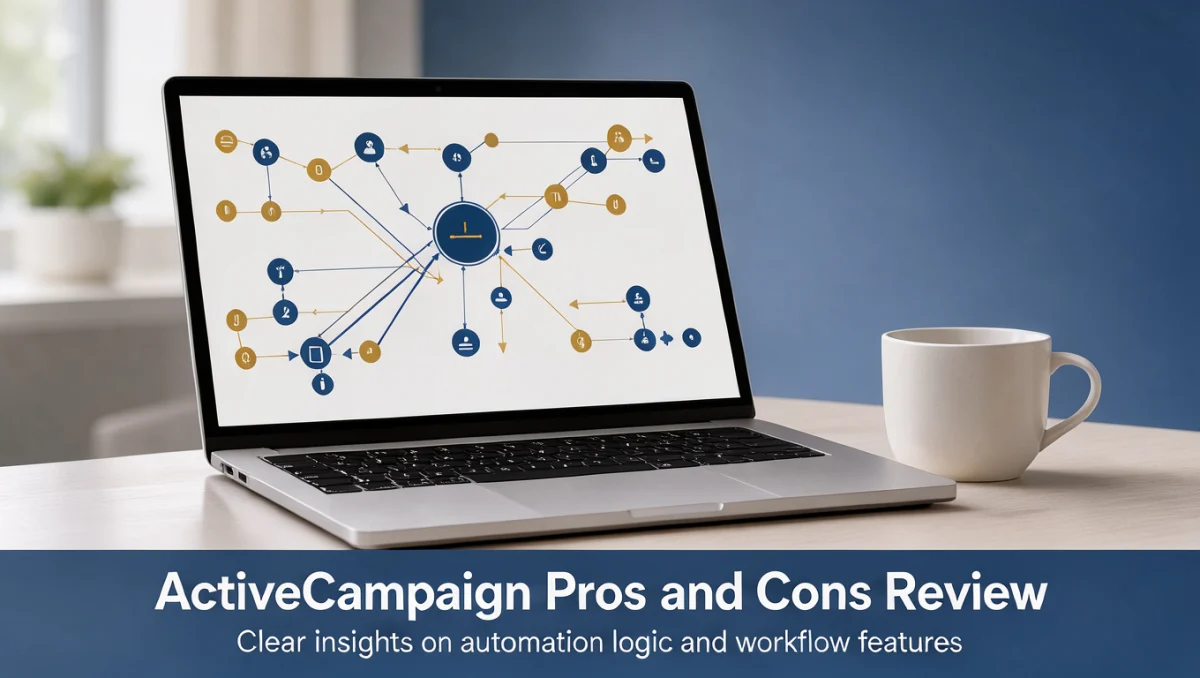
Because the visual builder maps entire customer journeys across conditional splits, teams can create nuanced onboarding sequences without writing custom scripts. Behavioral triggers respond directly to contact interactions, updating profiles and launching follow-up messages automatically.
3.2. Granular Audience Segmentation and Dynamic Tagging
Audience organization relies on an adaptable tagging and field-tracking framework. Marketers can apply tags automatically based on link clicks, page visits, and custom event markers.
This granularity allows focused messaging that reflects specific subscriber interests. Dynamic content blocks can change inside outbound messages depending on segment criteria, which reduces the need to maintain duplicate campaigns for different customer groups.
3.3. Integrated Sales Pipeline Management
ActiveCampaign links marketing activity directly to deal stages. Sales teams can track outreach status, review communication timelines, and assign tasks across customizable visual pipeline stages.
Automated processes can advance deals or generate follow-up notifications when contacts show strong intent signals. This coordination between messaging sequences and sales tracking reduces friction when leads move from outreach to qualification.
3.4. Unified Contact Event History
Each contact profile stores a timeline covering email opens, form submissions, page views, and notes. This consolidated record gives team members full context before reaching out.
Keeping complete history in one dashboard removes communication silos between staff members. It also lets automated conditions check past behavior before deciding which message or task to trigger next.
4. ActiveCampaign Cons

Although the feature set offers considerable flexibility, some organizational hurdles come with implementation. Recognizing these drawbacks early lets teams plan appropriate workarounds.
4.1. Steep Initial Learning Curve
The wide range of triggers, actions, and conditional rules makes initial setup demanding for newer team members. Configuring nested automations without proper planning can lead to conflicting tags and broken delivery logic.
To reduce this risk, document your tagging structure and customer journey maps before building workflows in the system. Starting with simple linear automations and adding multi-branch conditions later helps prevent structural errors.
4.2. Complex Interface Navigation for Casual Users
The number of options across settings, campaigns, contacts, and automation menus can feel overwhelming for occasional users who send only sporadic updates. Locating specific reports or segment configurations often means working through nested submenus.
Teams can ease this by creating standard operating procedures for recurring tasks. Limiting administrative rights and assigning dedicated managers to oversee campaign workflows keeps the interface manageable for general contributors.
4.3. Administrative Overhead for Database Maintenance
Because tags and custom fields can multiply quickly, keeping a clean contact database requires ongoing oversight. Left unchecked, duplicate tags and redundant segments build up and cause confusion during audience selection.
Regular database hygiene routines help resolve this. Teams should audit active tags quarterly, archive obsolete workflows, and enforce strict naming conventions for all new marketing assets.
5. ActiveCampaign Pros and Cons Summary Table
The overview below summarizes the practical advantages and operational tradeoffs of adopting ActiveCampaign.
| Operational Category | Primary Platform Advantage | Practical Platform Limitation | Recommended Management Approach |
|---|---|---|---|
| Automation Architecture | Flexible multi-branch customer journey sequences | Complex rule sets can conflict without careful oversight | Map conditional logic on paper before building workflows |
| Data Management | Dynamic tagging and behavioral custom fields | Taxonomy clutter builds up when tags are created ad hoc | Enforce strict naming conventions and audit quarterly |
| Pipeline Alignment | Connected deal stages and automated task routing | Setup requires cross-department coordination | Align marketing and sales definitions before setting triggers |
| Platform Usability | Deep control over every contact touchpoint | Steep onboarding curve for non-technical team members | Create standardized workflow templates for recurring campaigns |
| Reporting Visibility | Detailed interaction histories on contact records | Aggregated reporting requires platform familiarity | Bookmark core metric dashboards and export regular summaries |
6. Who Should Use ActiveCampaign
Whether the software fits depends on your team's size, technical readiness, and message volume. Here is who benefits most and who should look at other options.
6.1. Freelancers and Solo Operators
Independent professionals juggling service inquiries and product sales can use the platform to automate appointment reminders, inquiry qualification, and client onboarding sequences.
Freelancers who only send occasional quarterly announcements, however, may find the setup effort out of proportion to their needs. Simple newsletter services often deliver faster results for basic broadcasts.
6.2. Small Business Owners
Small business owners running dedicated client acquisition funnels gain significant value from automated prospect nurturing and synchronized deal pipelines. Leads stay organized without needing separate tools for outreach and basic customer records.
Owners should make sure at least one staff member has the time to oversee workflow rules and keep the database consistent. Without designated ownership, automated sequences risk falling out of date.
6.3. Marketing Specialists
Marketers managing complex conversion funnels get exceptional utility from ActiveCampaign. The ability to split-test automations, segment by precise behavioral signals, and personalize message elements gives the control needed for iterative growth.
Campaign managers can build lead-scoring models that flag qualified accounts for immediate follow-up, making multi-channel outreach more effective.
6.4. Office Workers and Administrative Teams
Administrative teams handling customer communications, event registrations, and internal notifications can streamline manual follow-up using automated triggers.
That said, internal messaging that does not involve customer nurturing or relationship tracking rarely justifies an advanced automation platform. Standard collaboration tools handle internal communication with far less configuration.
6.5. Students and Educational Users
Students studying digital communications can learn core concepts of marketing automation logic, lifecycle segmentation, and customer relationship management on the platform.
Running a live commercial database is rarely necessary for study alone. Educational users should check whether coursework or practice sandboxes meet their goals before committing to ongoing software costs.
6.6. Teams That Should Avoid ActiveCampaign
Organizations that only need occasional single-recipient notifications or basic blast announcements without behavioral tracking should steer clear of an intricate automation platform. Simpler newsletter tools offer faster execution with minimal complexity in those cases.
Likewise, enterprises that require heavily customized database environments with specialized compliance frameworks should confirm whether a dedicated enterprise platform better matches their scale.
7. Frequently Asked Questions
What should buyers evaluate when comparing automation features?
Buyers should determine whether their communication process relies on static broadcasts or dynamic, behavior-driven paths. Platforms offering visual sequence builders and tagging structures excel when prospects need multi-touch follow-up, while simple broadcast tools are enough for basic announcements.
How should an organization plan for contact database growth?
Compare your projected list growth against the vendor tier structure on the official ActiveCampaign pricing page. Because contact tiers determine ongoing subscription costs, regularly removing disengaged addresses keeps your database clean and your budget predictable.
When is a dedicated onboarding period necessary for automation tools?
Allow dedicated onboarding time whenever your team plans multi-branch workflows, pipeline stage transitions, or behavioral tagging rules. Setting naming conventions and testing triggers in advance prevents delivery errors and conflicting automation paths.
What additional expenses should teams budget for alongside software subscriptions?
Budget for asset creation, copywriting, list verification services, and internal training time. Verifying add-on requirements, integration connectors, and specialized reporting needs on the official website helps avoid unexpected costs during rollout.
8. Final Verdict on ActiveCampaign
Our assessment positions ActiveCampaign as a comprehensive automation and contact management engine suited to growth-focused organizations. As the analysis throughout EBusiness Reviews shows, the right choice depends on weighing functional power against implementation demands.
| Criterion | Score /10 | Reason |
|---|---|---|
| Features | 9.0 | Offers deep workflow logic, conditional branching, dynamic tagging, and integrated deal pipelines. |
| Ease of Use | 7.0 | Presents a noticeable learning curve and complex navigation for casual campaign creators. |
| Pricing and Value | 7.5 | Delivers solid returns for active funnels, though buyers must review tier thresholds carefully. |
| Integrations | 8.0 | Connects smoothly with common commerce, content, and form systems across standard stacks. |
| Audience Fit | 8.5 | Matches the needs of small-to-medium teams focused on systematic lifecycle nurturing. |
| Support | 7.5 | Provides documentation and direct assistance channels that buyers should confirm on the official portal. |
| Competitive Position | 8.5 | Holds a strong position against rivals like Mailchimp and HubSpot for automation-centric setups. |
Overall score: 8.0 out of 10
ActiveCampaign is a proven, reliable choice for teams ready to invest in structured marketing funnels, automated segmentation, and integrated deal handling. If your team only sends basic monthly updates, look at simpler newsletter software. If your strategy depends on automated, behavior-driven customer journeys, EBusiness Reviews recommends ActiveCampaign as a strong option, since it gives you the architectural control needed to run sophisticated campaigns. Browse more software comparisons in our Marketing category.
If you have specific software selection questions or want guidance on configuring your marketing stack, contact the EBusiness Reviews team at https://ebusinessreviews.net/contact/ or follow our updates on LinkedIn at https://www.linkedin.com/company/ebusinessreviews/.