ebusinessreviews may earn a commission when you buy through links on this page, at no extra cost to you. This does not affect our ratings.
Teams choosing between beautiful ai vs prezi are really choosing between two philosophies of presenting. One favors disciplined slide sequences that organize themselves, while the other treats the whole presentation as a single open map. Busy professionals rarely have time to hand-build polished layouts, so the right tool can save hours and sharpen how ideas land. At EBusiness Reviews, we looked at how each platform shapes communication so you can match a tool to the room you present in.
Beautiful.ai works through rule-driven slide formatting, where elements readjust spacing whenever you edit text or add visuals. Prezi takes a different route with an open, non-linear canvas where the camera glides between broad themes and close-up details. The deciding factor is usually whether your audience expects a linear briefing deck or an exploratory story that unfolds in layers.
Quick verdict: Beautiful ai vs prezi earns an overall ebusinessreviews score of 8.0 out of 10. Beautiful.ai suits fast-moving business presenters who want clean, standardized slides without fighting design details. Prezi suits educators, keynote speakers, and storytellers who want engaging, non-linear delivery. Neither one replaces dedicated diagramming or financial modeling software.
| Metric | Details |
|---|---|
| ebusinessreviews score | 8.0 / 10 |
| Best for | Presenters who want automatic layout structure or spatial, visual storytelling |
| Not ideal for | Teams that need manual pixel-level control or complex financial modeling sheets |
| Key strengths | Automated visual hierarchy rules and a dynamic zoomable spatial canvas |
| What to check before buying | Confirm seating requirements, sharing options, and offline export formats on official vendor sites |
1. How ebusinessreviews Reviewed Beautiful.ai and Prezi
This review examines what Beautiful.ai and Prezi are built to do, who they serve, and how they compare with similar tools. We assessed them against the seven ebusinessreviews criteria: features, ease of use, pricing and value, integrations, audience fit, support, and competitive position. Plans, prices, and limits change frequently, so we flag what to verify on the official website before purchasing. This article was researched and drafted with the help of AI tools, then reviewed and edited by the ebusinessreviews Editorial Team.
2. Beautiful.ai vs Prezi: Short Answer
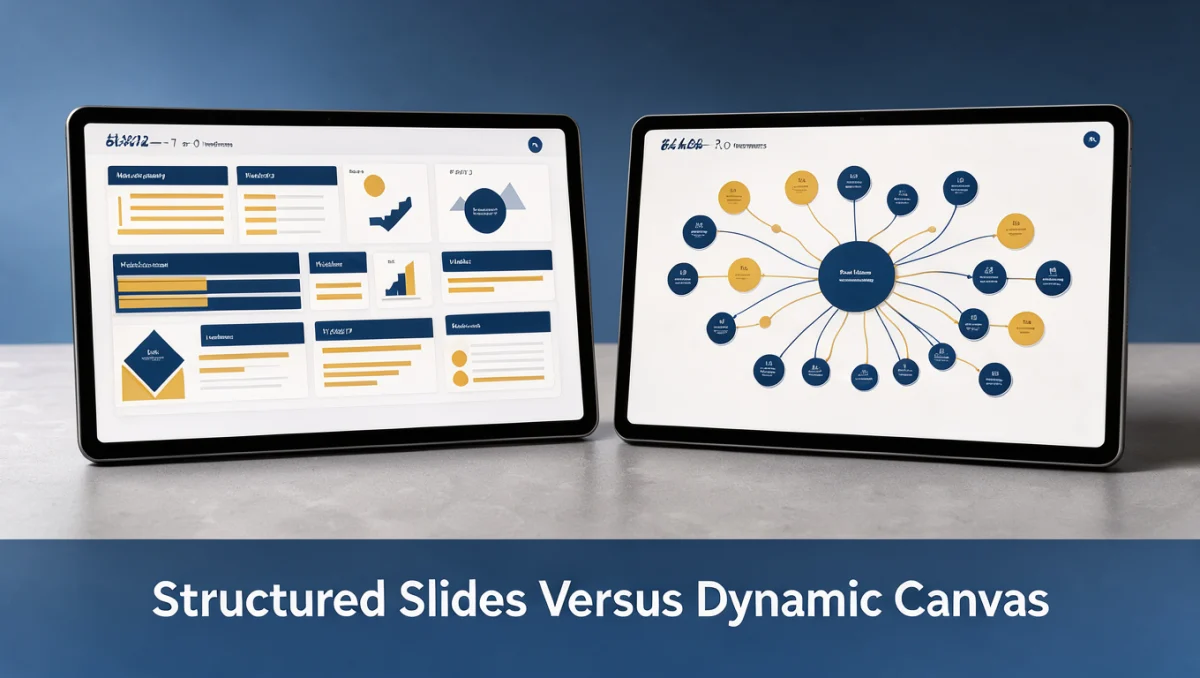
The choice between the two depends on whether your material calls for structured linear delivery or exploratory visual navigation. Beautiful.ai centers on slide-based sequences and keeps formatting balanced as you add text, cards, and icons. Prezi moves away from sequential slides entirely, arranging information on a large interactive map where the camera travels between topics.
For recurring team updates, client sales proposals, and executive briefings, Beautiful.ai keeps visual boundaries consistent with little effort. For classroom instruction, conference keynotes, and narrative concept overviews, Prezi shows how subtopics connect within a broader context. Both tools shorten the time needed to build memorable visuals, but they suit different speaking situations.
3. Positioning Comparison
Looking at how each vendor designs its workspace clarifies where each tool performs best. The table below summarizes their core positioning:
| Tool | Best for | Core strength | Consider if |
|---|---|---|---|
| Beautiful.ai | Corporate teams that need tidy, fast, structured decks | Rule-based automatic layout adjustment | Your team presents linear decks in corporate boardrooms |
| Prezi | Educators, trainers, and dynamic keynote speakers | Non-linear canvas navigation and zoom motion | Your material benefits from visual journeys and interactive overviews |
4. Detailed Criteria Comparison

4.1. Features
Presentation software is judged by how efficiently it turns raw ideas into visual media. Beautiful.ai organizes content into pre-built layout blocks that recalculate spacing whenever text grows or icons are inserted. This removes manual alignment work so presenters can focus on the substance of their message. Teams exploring Artificial Intelligence software categories often value this rules-based system, which keeps typography and margins proportional.
Prezi offers a different creative surface through its zoomable presentation canvas. Rather than advancing through separate slides, speakers place topics across an open canvas, zooming in for detail and out for context. Prezi also offers video overlay capabilities that place your visuals beside your webcam feed during remote sessions.
4.2. Ease of Use
Ease of use reflects how quickly a team member without design expertise can produce a professional presentation. Beautiful.ai has a gentle learning curve because it keeps the familiar slide-by-slide model found in traditional office software. Its constraints prevent common design errors, though creators who want to nudge objects pixel by pixel may find these boundaries limiting.
Prezi asks for a larger shift in thinking. Because presentations live on a multi-dimensional canvas, creators need to plan spatial journeys, topic relationships, and camera paths carefully. Overusing zoom transitions can overwhelm viewers if motion is not planned thoughtfully, so Prezi takes somewhat more time to master.
4.3. Pricing and Value
Subscription models for presentation tools vary by collaboration allowances, storage, and brand governance controls. Vendors revise plan bundles, seat thresholds, and billing intervals regularly. Buyers comparing beautiful ai vs prezi should check the official pricing pages to confirm whether individual licenses or multi-seat team packages match their current headcount.
To judge value, compare the hours your team spends fixing slide alignment against the recurring subscription cost. Teams delivering several client decks each month can realize real operational savings from automated formatting. Independent speakers who want memorable audience engagement may find the visual appeal of a spatial tool worth the investment.
4.4. Integrations
Connecting presentation software with communication tools and cloud storage streamlines delivery for remote and hybrid organizations. Common workflows include sharing live view links, collaborating through video meeting platforms, and importing visual assets from external drives.
Before choosing either tool, verify on the official sites which cloud storage services and web conferencing platforms integrate with your account tier. Make sure your organization's standard collaboration software connects without custom configuration.
4.5. Audience Fit
Audience expectations shape which visual style will be best received. Beautiful.ai suits corporate professionals, sales departments, and consultants who need succinct, polished decks within standard meeting formats. Board members and managers often prefer linear progressions that align with distributed briefing packets.
Prezi is built for educators, keynote presenters, creative directors, and trainers who need to explain interconnected systems. When teaching complex curricula or pitching a broad vision, showing the full picture before diving into subtopics keeps audiences oriented through long explanations.
4.6. Support
Accessible support helps teams resolve sharing, export, or rendering questions before time-sensitive meetings. Vendors offer different support paths, from self-service knowledge centers and video walkthroughs to dedicated ticket channels.
Review the official support portals for both vendors to confirm what assistance and operating hours apply to your planned subscription level. Organizations with strict technical requirements should check whether priority routing or dedicated onboarding is available on commercial tiers.
4.7. Competitive Position
The presentation category includes long-established slide applications alongside agile web-first canvas tools. Beautiful.ai stands out by automating slide design decisions, competing with tools focused on rapid layout generation. It addresses the frequent problem of cluttered, unbalanced corporate slides.
Prezi holds a distinct niche built around non-linear motion storytelling, which contrasts with sequential slide software. While slide-based tools dominate routine business briefings, Prezi remains a notable option for presenters who want to break away from rigid decks.
5. How to Decide Between Beautiful.ai and Prezi
Choosing the right tool means matching presentation style to your team's workflow. Use these practical steps to evaluate your needs:
- Define your presentation format: If your meetings follow traditional sequential agendas and attendees expect linear handouts, Beautiful.ai fits that expectation. If your meetings are conversational and jumping between topics adds value, Prezi offers that flexibility.
- Assess design experience: If team members struggle with visual balance and need automatic formatting boundaries, Beautiful.ai prevents messy slides. If your team enjoys building thematic spatial journeys, Prezi gives more creative freedom.
- Review collaboration patterns: Check the official vendor specifications to see how co-editing and presentation handoffs work across multi-user teams.
- Determine delivery channels: Consider whether your team presents mainly in physical boardrooms, over remote video calls, or through shared links. Confirm on official platform pages how each tool handles web-based and local display modes.
6. Frequently Asked Questions
How should a team evaluate presentation software learning curves?
Teams should check whether the platform follows familiar slide sequences or requires new mental models such as spatial zooming canvases. Timing how quickly an average presenter can draft five complete topic screens gives a realistic measure of adoption effort.
What factors influence presentation software subscription costs?
Costs are shaped mainly by user seat counts, workspace management controls, branding permissions, and sharing privileges. Organizations should review vendor plan comparison tables to set exact budget requirements for their presenter pool.
When should presenters choose spatial canvas tools over slide decks?
Spatial canvas tools suit presenters explaining complex systems, training curricula, or creative brand pitches where showing how parts relate to the whole is essential. Linear decks remain the better choice for formal corporate governance reviews.
What brand control settings should enterprise buyers look for?
Enterprise buyers should verify centralized font management, master color palette restrictions, and shared template libraries on official product pages. Consistent visual guardrails protect organizational identity across decks built by different team members.
7. Final Verdict
Beautiful.ai and Prezi each offer a distinct answer to the limits of traditional presentation building. Beautiful.ai reduces slide layout frustration through automated design constraints, which makes it practical for busy corporate teams. Prezi counters audience disengagement with a cinematic, non-linear canvas that brings visual storytelling to life.
| Criterion | Score /10 | Reason |
|---|---|---|
| Features | 8.5 | Strong automated layout intelligence in Beautiful.ai and unique zoomable canvas mechanics in Prezi |
| Ease of Use | 8.0 | Beautiful.ai adopts quickly for linear decks, while Prezi requires spatial navigation planning |
| Pricing and Value | 7.5 | Subscriptions deliver clear time savings but require checking seat count tiers |
| Integrations | 7.0 | Both platforms connect with standard web conferencing and storage tools, subject to tier verification |
| Audience Fit | 8.5 | Each platform serves distinct presenter profiles effectively across business and storytelling settings |
| Support | 7.5 | Both providers offer structured documentation and self-guided help centers on standard accounts |
| Competitive Position | 9.0 | Both solutions hold distinctive positions that contrast with traditional slide software |
Overall score: 8.0 / 10
For corporate teams, sales reps, and managers delivering recurring business briefings, Beautiful.ai offers the fastest route to clean, professional linear decks. For educators, keynote speakers, and trainers seeking engaging visual narratives, Prezi provides spatial storytelling tools that set it apart from standard presentations.
If you have questions about choosing presentation software or want to share your workflow requirements, contact our team through our contact page or follow ebusinessreviews on LinkedIn via our LinkedIn profile.