ebusinessreviews may earn a commission when you buy through links on this page, at no extra cost to you. This does not affect our ratings.
Remote and hybrid teams now depend heavily on tools that record, transcribe and summarize conversations. Teams running frequent client calls, project check-ins and interviews often lose hours to manual documentation. In this meetgeek review, ebusinessreviews examines how the platform tackles that documentation burden and which factors buyers should inspect before committing.
Choosing a meeting intelligence platform means weighing transcription accuracy against privacy requirements and how easily your team will adopt the tool. This assessment covers core capabilities, everyday workflows and the procurement questions you should settle directly on the official vendor site in 2026.
Quick verdict: MeetGeek earns an overall score of 7.8 / 10. It suits distributed teams, agency staff and project leads who want hands-off meeting capture and automatic summaries. It is less suitable for solo users with basic voice memo needs or organizations that require on-premise transcription infrastructure.
| Evaluation Factor | ebusinessreviews Assessment |
|---|---|
| ebusinessreviews score | 7.8 / 10 |
| Best for | Distributed teams that run frequent client calls and need organized conversation archives |
| Not ideal for | Organizations that forbid external automation bots or solo operators with minimal meeting volume |
| Key strengths | Automated transcription, summarized action points and centralized conversation repositories |
| What to check before buying | Confirm user seat provisions, recording allowances and workspace sharing policies on the official MeetGeek website |
1. How ebusinessreviews Reviewed MeetGeek
This review looks at what MeetGeek is built to do, who it serves and how it compares with similar tools. We applied seven ebusinessreviews criteria: features, ease of use, pricing and value, integrations, audience fit, support and competitive position. Plans, prices and limits change often, so we highlight what to confirm on the official website before buying. This article was researched and drafted with AI assistance, then reviewed and edited by the ebusinessreviews Editorial Team.
2. What Is MeetGeek and Who Is It For?
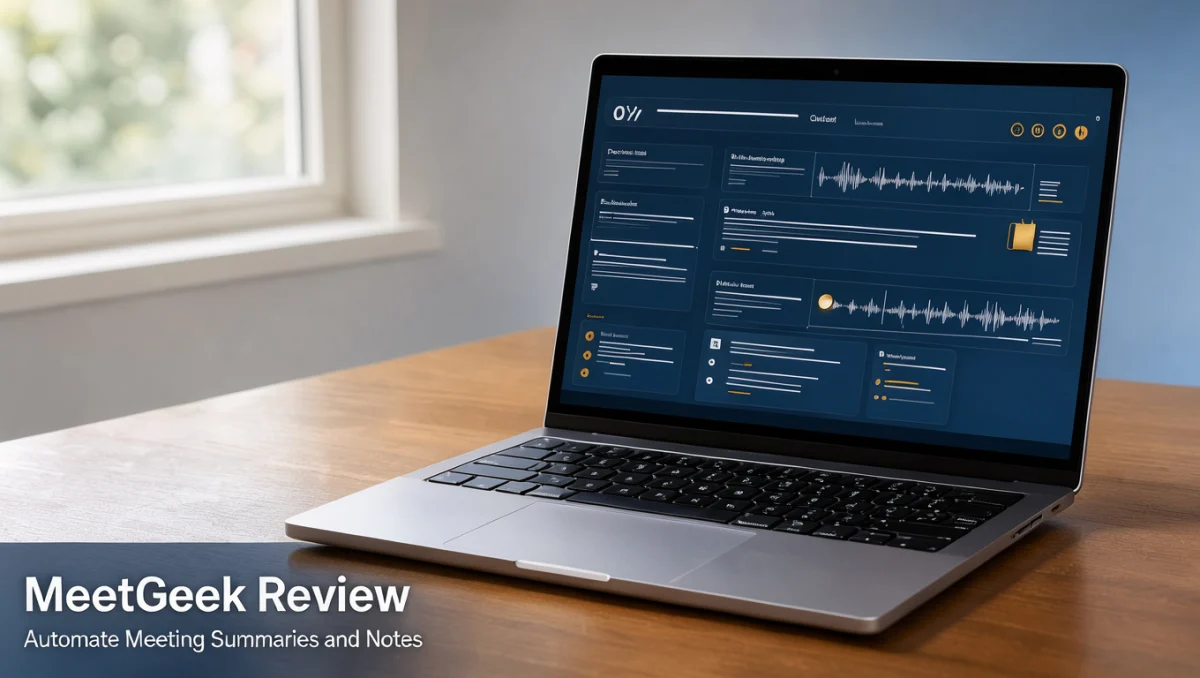
MeetGeek is an automated meeting recording, transcription and conversation intelligence platform built to capture virtual interactions and produce structured documentation. It addresses a common problem in modern workplaces: participants spend mental energy on manual notes instead of engaging in the discussion. By recording calls and turning speech into searchable text and categorized takeaways, the platform works as an automatic record keeper for business teams.
Its target audience includes knowledge workers, client service agencies, recruiters, sales professionals and cross-functional teams spread across time zones. Within the Artificial Intelligence software landscape, tools like this aim to remove administrative friction from team communication. For managers overseeing several projects, automatic capture ensures that commitments made during a call do not vanish once it ends.
Prospective subscribers should understand that transcription software functions as a shared workflow layer across team calendars and video platforms. Before adopting it, team leaders should assess participant consent guidelines, archival preferences and administrative control requirements.
3. Core Features and Meeting Management Capabilities

Understanding what MeetGeek delivers means looking at how it handles the full lifecycle of a meeting, from calendar sync to long-term record retrieval.
3.1. Automated Meeting Recording and Transcription
At the core of MeetGeek is speech-to-text transcription combined with automatic call attendance. The software attaches to scheduled calendar events, joins virtual rooms as an attendee and captures audio and video. The speech is then transcribed into timestamped text that identifies individual speakers throughout the session.
Transcription quality depends on clear audio and distinct speaker separation. Users can review transcripts alongside timestamps to verify specific statements, quotes or commitments. Because vocabulary accuracy varies with acoustic conditions and technical jargon, teams should confirm on the official MeetGeek website how custom vocabularies and industry dictionaries are configured.
3.2. Meeting Summaries and Action Item Extraction
Beyond raw transcription, MeetGeek turns transcripts into structured overviews that highlight key discussion topics, action items and next steps. Instead of forcing team members to read full transcripts, the platform extracts main talking points and organizes them into readable sections. This shortens the time needed to send recaps to stakeholders who could not attend.
In standard setups, automated summaries group related themes and flag follow-up tasks assigned to particular participants. Buyers should confirm on the official MeetGeek website how summary templates can be customized to match internal reporting formats, since departments often need different recap styles for executive briefings or project standups.
3.3. Searchable Repository and Team Knowledge Sharing
MeetGeek acts as a central repository for conversation history. Teams can search past meetings by keyword, participant name or date, rather than keeping recordings scattered across desktop folders or email threads. Members can bookmark notable moments, generate video highlights and share clips with colleagues.
A central meeting library supports continuity during onboarding or project handoffs. New team members can review historical conversations to understand context without repeated briefing sessions. Administrators should review sharing settings on the official MeetGeek website to set proper folder permissions and access rights.
4. Ease of Use and Learning Curve
MeetGeek emphasizes an automated, hands-off setup that minimizes day-to-day intervention. Once connected to a corporate calendar and authorized to join scheduled video conferences, the software enters calls automatically without manual links or uploads for each event. For participants, most interaction happens after the meeting, through web dashboards where summaries and transcripts are organized.
The learning curve for reading transcripts and scanning summaries is low for general team members. Navigating timestamps, searching transcripts and listening to specific audio clips follows familiar web conventions, so people can locate key discussion points with a search bar and little training.
Administrative configuration requires more planning. Workspace owners must decide notification settings, clarify how participants are told about recording and determine whether the assistant joins internal syncs, external client meetings or both. Platform managers should review workspace governance documentation on the official MeetGeek website to set clear guidelines before rolling the software out across departments.
5. Pros and Cons
A balanced evaluation weighs operational advantages against the practical limits of automated note-taking tools.
5.1. MeetGeek Pros
- Hands-off automation removes the need to write manual recaps during live client discussions.
- Structured summaries and action item lists help teams track commitments without reviewing full recordings.
- Centralized, searchable archives improve knowledge retention across remote teams.
- Speaker identification and timestamped logs provide clear context for complex project reviews.
5.2. MeetGeek Cons
- Background noise, overlapping voices and specialized acronyms can require manual transcript editing.
- External clients may question or restrict automated recording assistants in confidential calls.
- Organizations with strictly isolated local data storage cannot deploy cloud-dependent transcription without compliance review.
6. MeetGeek vs Similar Tools
The meeting intelligence sector includes established platforms designed for different team sizes and requirements. Comparing MeetGeek with prominent alternatives clarifies its competitive position.
| Software Platform | Primary Market Focus | Core Architectural Strength | Buyer Consideration |
|---|---|---|---|
| MeetGeek | Agencies, distributed teams and cross-functional departments | Automated meeting capture, structured summaries and collaborative archives | Review user seat structure and sharing permissions on the official website |
| Otter.ai | Individual professionals, students and enterprise teams | Voice transcription, collaborative text highlighting and real-time notes | Examine real-time collaboration features and workspace limits on the vendor page |
| Fathom | Solo professionals, customer-facing teams and remote workers | Quick video highlights, structured summaries and desktop recording flows | Confirm platform compatibility and supported conference environments |
| Fireflies.ai | Sales organizations and teams managing large conversation volumes | Voice search, conversation analytics and broad administrative management | Inspect integration setup and analytics configurations on the official website |
MeetGeek positions itself as an intuitive meeting archive and summary system for teams that want dependable post-meeting documentation without heavy complexity. Otter.ai emphasizes personal transcription and real-time document editing, and Fireflies.ai provides deep analytics for high-volume sales groups. MeetGeek keeps its focus on team-wide collaboration and structured recaps. Buyers should compare their own collaboration patterns across vendor sites to find the best fit for their culture.
7. Who Should Use MeetGeek?
Whether MeetGeek fits your organization depends on communication style, meeting cadence and administrative priorities.
- Client Service Agencies and Consultants: Account managers balancing several clients benefit from automated documentation. An accurate record of client feedback, scope changes and action items prevents misunderstandings and protects timelines.
- Distributed and Asynchronous Teams: Companies operating across continents rely on summaries to keep absent members informed. Team members who miss live calls because of time zones can scan recaps quickly.
- Project Managers and Scrum Masters: Professionals tracking deliverables can pull extracted action items into task management systems without manually transcribing every sprint retrospective.
- Recruitment and Human Resources Teams: Interviewers can focus fully on candidates during structured interviews and use timestamped transcripts later for balanced evaluation.
- Groups That Should Look Elsewhere: Solo practitioners who rarely hold virtual meetings may find manual notes sufficient. Legal or clinical environments that prohibit external call-recording bots should verify compliance before adopting any automated assistant.
8. How to Choose the Right Plan
Providers in the meeting transcription category structure subscriptions around usage volume, collaboration tiers and data retention depth. Because plans change frequently, buyers should examine the official MeetGeek pricing page with these criteria in mind.
| What to Check on the Official Page | Why It Matters to Your Budget |
|---|---|
| Recording and transcription allowances | Meeting limits dictate how many hours of conversation you can process each billing cycle without unexpected overages. |
| User seat and license definitions | Knowing whether seats apply to recorders only or to all workspace viewers affects total ownership cost. |
| Historical storage and retention terms | Teams keeping long-term project records must confirm whether older archives remain accessible indefinitely. |
| Summary customization and sharing controls | Branding, summary templates and sharing permissions may be restricted to specific plan tiers. |
| Administrative and privacy governance settings | Enterprise security policies often need centralized admin controls that are reserved for higher tiers. |
9. Frequently Asked Questions
What audio quality is needed for reliable transcription?
Clear audio, individual headsets and quiet surroundings significantly improve transcription accuracy. When participants speak clearly without background chatter or crosstalk, speech recognition distinguishes voices more reliably. Teams should encourage dedicated microphones to reduce manual editing after calls.
How should teams notify external participants before recording?
Transparency is essential whenever recording tools join virtual rooms. Teams should set standard procedures, such as mentioning the recording in meeting invitations or announcing the assistant at the start of a discussion. Many organizations configure automatic notifications or custom display names so external guests understand the recording purpose immediately.
What drives the overall cost of meeting intelligence software?
Total spend depends mainly on active user seats and monthly recording capacity. When expanding adoption across business units, companies must account for both administrative licenses and storage growth. Checking seat rules on the official MeetGeek pricing page prevents billing surprises as headcount changes.
How can organizations keep meeting archives from becoming cluttered?
An effective repository relies on consistent tagging, folder hierarchies and naming conventions. Designate shared folders for client accounts, product initiatives or departmental reviews. Regularly auditing the library and removing test recordings helps team members find important discussions quickly.
10. Final Verdict
| Evaluation Criterion | Score /10 | Reason |
|---|---|---|
| Features | 8.2 / 10 | Dependable automated recording, structured recaps and useful action item extraction for team workflows. |
| Ease of Use | 8.5 / 10 | Calendar integration provides a hands-off experience with an intuitive web dashboard for review. |
| Pricing and Value | 7.2 / 10 | Value suits collaborative teams, though buyers must verify recording limits on the official site. |
| Integrations | 7.5 / 10 | Connects with major video conferencing platforms and calendars; verify specific workflow connections directly. |
| Audience Fit | 8.4 / 10 | Well suited to agencies, hybrid teams and project coordinators who need structured recaps. |
| Support | 7.0 / 10 | Standard self-help documentation and direct support channels; confirm response tiers on the vendor portal. |
| Competitive Position | 7.9 / 10 | Balanced focus on clean summaries and shared team archives against specialized competitors. |
Overall ebusinessreviews Score: 7.8 / 10
MeetGeek offers a dependable, structured way to capture meetings and remove manual note-taking overhead for busy teams. For organizations that want reliable conversation archives and automated follow-up lists, it delivers strong utility. Prospective customers should visit the official MeetGeek website to compare current subscription tiers, recording limits and administrative controls before purchasing.
For independent software comparisons, methodology insights and technology evaluations, visit EBusiness Reviews to guide your software investments. Have questions about choosing meeting software? Submit them through our contact page at https://ebusinessreviews.net/contact/ or follow ebusinessreviews on LinkedIn at https://www.linkedin.com/company/ebusinessreviews/.